
[Command Sensors] - Standard Radar
📌 Product Advantages
24.125GHz high-frequency radar, accurate detection, stable and reliable
Mounting heights 1.8-6 metres, covering the standard door range
Operating voltage 12-36 V AC/DC, compatible with a wide range of control systems
Solid State Relay / Passive Relay Output, Easy Wiring
Protection class IP54 / IP65 for indoor and outdoor environments
Suitable for fast door, industrial door, automatic door open command trigger
🏭 Scenario
Rapid rolling door, industrial sliding door, automatic sliding door, car park entrances and exits, and other places that require automatic door opening trigger.
📞 Selection Support
For selection advice or installation guidance, please feel free to contact us.
Standard Radar
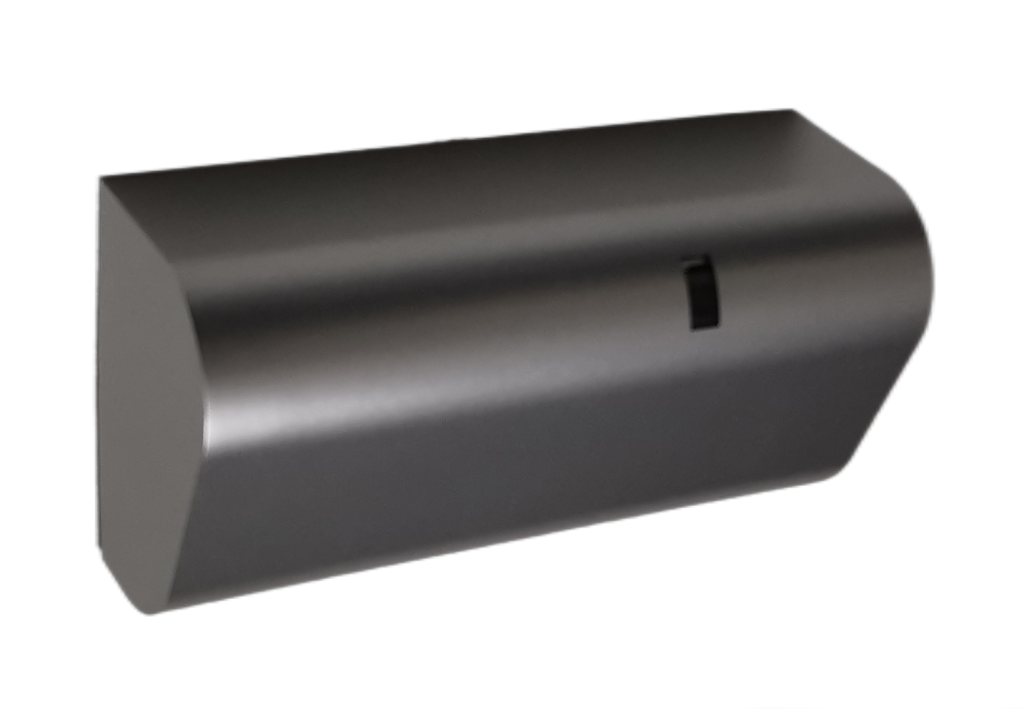
Primemotion_c_mini
Product Number:CR-SD-001 Technical parameters:- Voltage: 12-36 V DC / 12-28 V AC
- Transmission frequency: 24.125 GHz
- Mounting height: 1.8-4.5 metres
- Cable length: 3 metres
- Signal output: solid state relay
- Protection class: IP54
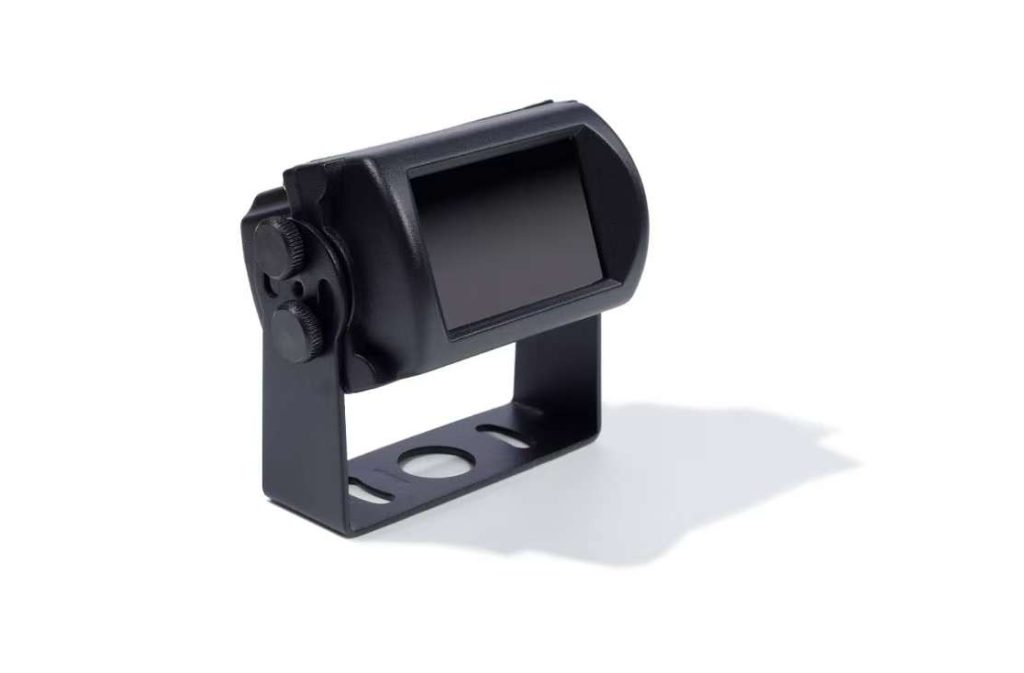
Pano
Product Number:CR-SD-002 Technical parameters:- Voltage: 12-36 V AC/DC
- Transmission frequency: 24.125 GHz
- Installation height: 1.8-6 metres
- Cable length: 3 metres
- Signal output: relay, passive output
- Protection class: IP65
📋 Frequently Asked Questions and Troubleshooting
Below is a list of FAQs and troubleshooting methods about standard radar to help you solve problems quickly.
1. Q. What is the detection height and range of the standard radar? How is it adjusted?
Answer:
- Pano Radar: Detection height range of2 to 6 metres(Support)X-key one-touch distance increaseUp to7 metres), throughMobile APPPerform parameter setting and adjustment;
- PrimeMotion C Mini radar: Detection height range of1.8 metres to 4.5 metresBy means of thePotentiometer knob on the radar bodyMake on-site adjustments without opening the lid for easy operation.
The detection angle can be0°-90°Adjustable within the range, the higher the mounting height, the larger the detection area.
2. Q. What can be done about false radar triggering (opening the door by itself when there is no vehicle)?
Answer: False triggering is usually caused by high sensitivity or environmental interference, please follow the steps below to troubleshoot:
- ① Reduced sensitivity: The default sensitivity is 4 levels (9 levels in total), which can be adjusted down appropriately according to the site environment; the lower the installation height, the lower the required sensitivity;
- ② Enable anti-interference function (for Pano): When there is a large vibration or electromagnetic interference (e.g. frequency converter, large motor, fluorescent lamps, etc.) in the vicinity, the“Anti-jamming level”Set to “Medium” or “High”;
- ③ Check the installation environment: Ensure that there are no obstructions below the radar and avoid the presence of oscillating objects (e.g. fans, flags, etc.) in the detection area.
3. Q. How do I troubleshoot a radar installation that is not responding and a door that does not open?
Answer: Please troubleshoot in the following order:
- ① Check the power supply: Verify that the operating voltage is12-36V AC/DCrange, and the positive and negative terminals are wired correctly;
- ② Check the mounting height: Confirm that the installation height is within the recommended range (Pano: 2-6 metres; Mini: 1.8-4.5 metres);
- ③ Check output configuration:PanoCheck via APP“Output Configuration”If or not “Normally open” (NO) is set, it is recommended that the output hold time be set to1-5 seconds;MiniCheck that the wiring is correct and that the output relay is normal;
- ④ Check sensitivity: Increase the sensitivity level appropriately for higher mounting heights;
- ⑤ Restore factory settings (for Pano): Perform the “Factory Restore” operation through the APP to reconfigure the parameters.
4. Q. How can mutual interference between multiple radars be avoided?
Answer: When multiple radars are installed nearby, interference can be avoided by the following methods:
- ① Distinguish the installation position: Ensure that radars are sufficiently distant from each other to avoid overlapping detection areas;
- ② Recognition using APP (Pano applicable): The app will search multiple radars, the list ofRSSI absolute minimumof the radar is closest to the mobile phone, and different devices can be distinguished by this feature;
- ③ Configuration on a case-by-case basis: When configuring, only the power of the radar to be set up is switched on, the other radars are temporarily disconnected, and the power is restored after the configuration is completed;
- ④ Adjust the sensitivity: Reduce the sensitivity appropriately, reduce the size of the detection area, and reduce the area of overlap.